Generating Reports
Create PDF summaries of your DBT practice to share with therapists, doctors, or for your own records.
Access the Reports Feature
To generate a report:
- Navigate to the Skills tab.
- Tap the document icon at the top-right of the screen.
Choose Your Date Range
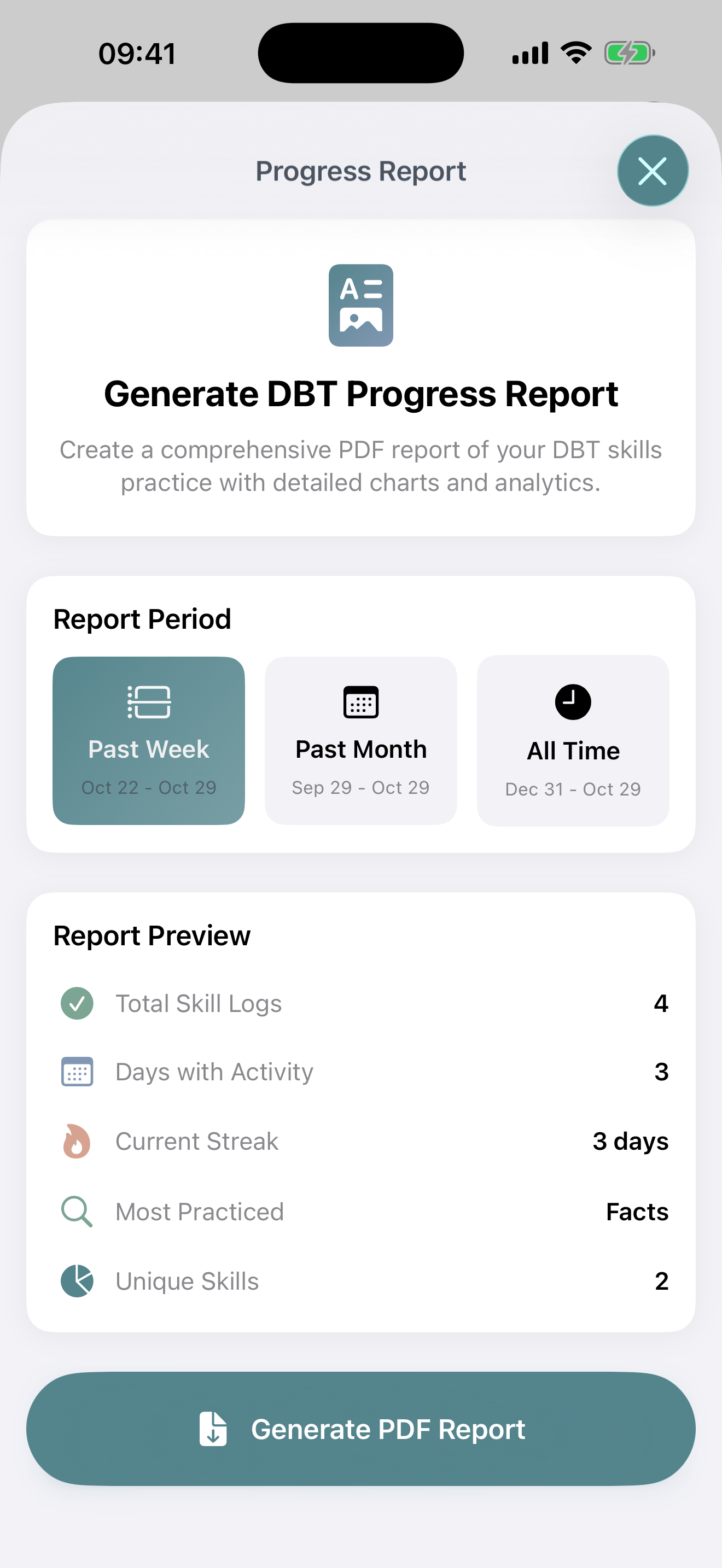
Select the time period you want your report to cover:
- Last 7 Days: Quick weekly summary
- Last 30 Days: Monthly overview
- All Time: Complete history since you started using Bifocal
Generate and Share
Once you've configured your report:
- Tap Generate Report
- Wait a moment while Bifocal compiles your data
- Preview the PDF to ensure it contains what you want
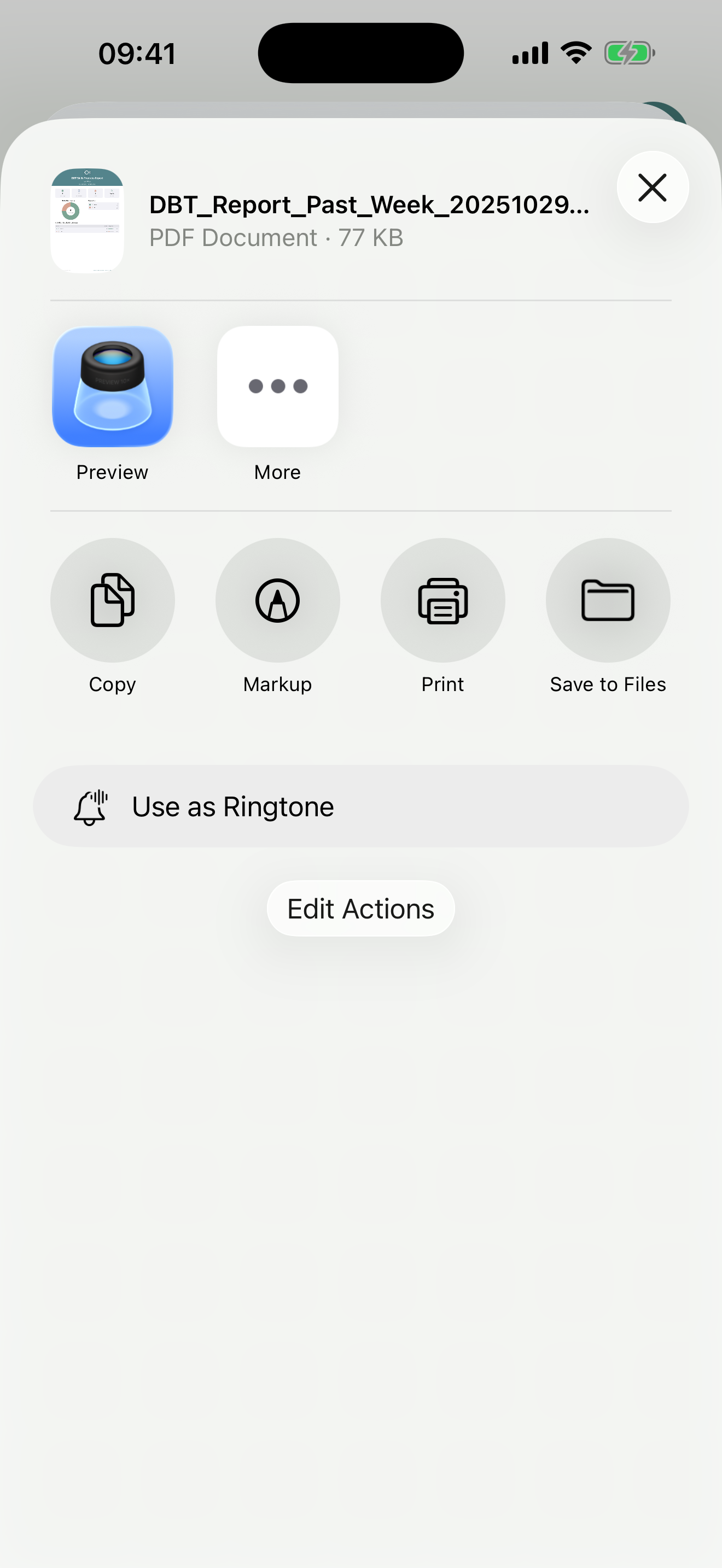
- Tap the Share button to:
- Email it to your therapist
- Save it to Files app
- Print it
- Share via any installed app
Tips for Effective Reports
Regular Reporting
Generate reports weekly or monthly to track patterns and progress over time.
Therapy Sessions
Create reports before therapy appointments to have concrete data to discuss with your therapist.
Track Trends
Compare reports from different time periods to see how your practice evolves.
Common Questions
Can I edit the report after generating it?
No, reports are generated as PDFs and cannot be edited. However, you can generate a new report with different settings at any time.
What if I have no data for the selected period?
Bifocal will let you know if this is the case.
Are reports generated on my device or in the cloud?
All report generation happens locally on your device. Your data never leaves your iPhone unless you explicitly share the report.
How detailed are the reports?
Reports include both summary statistics and detailed breakdowns, with charts and visualizations to make the data easy to understand.