DBT Diary Cards
Track emotions, urges, medications, and overall skill effectiveness daily with the standard DBT Diary Card tool.
⚠️ Important Notice
The DBT Diary Card is designed to track urges related to suicide, self-harm, and other behaviors. This information is private and stored only on your device.
If you are experiencing urges to harm yourself, please share this with others as a matter of urgency. Contact a mental health professional, call a crisis helpline, or go to your nearest emergency department.
This app does not provide crisis support or professional mental health care.
What is a DBT Diary Card?
The Diary Card is a cornerstone tool in Dialectical Behavior Therapy. It helps you track daily patterns in emotions, urges, medication adherence, and skill usage. This structured self-monitoring supports awareness, accountability, and conversations with your therapist.
Accessing Diary Cards
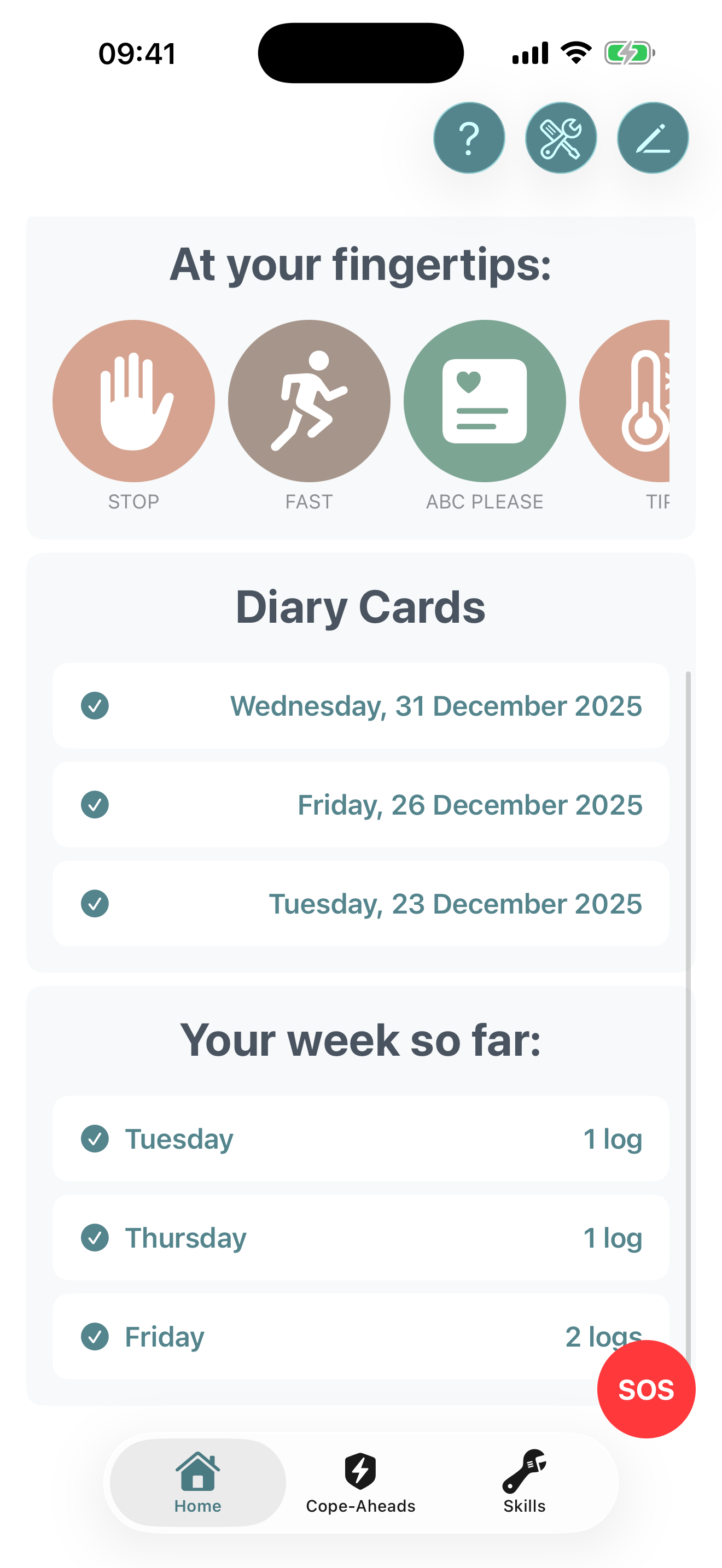
- Open Bifocal and navigate to the Home tab
- Look for the Diary Card widget on your home screen
- Tap the widget to open the full Diary Card view
- Alternatively, access it from the More menu if available
The Calendar View
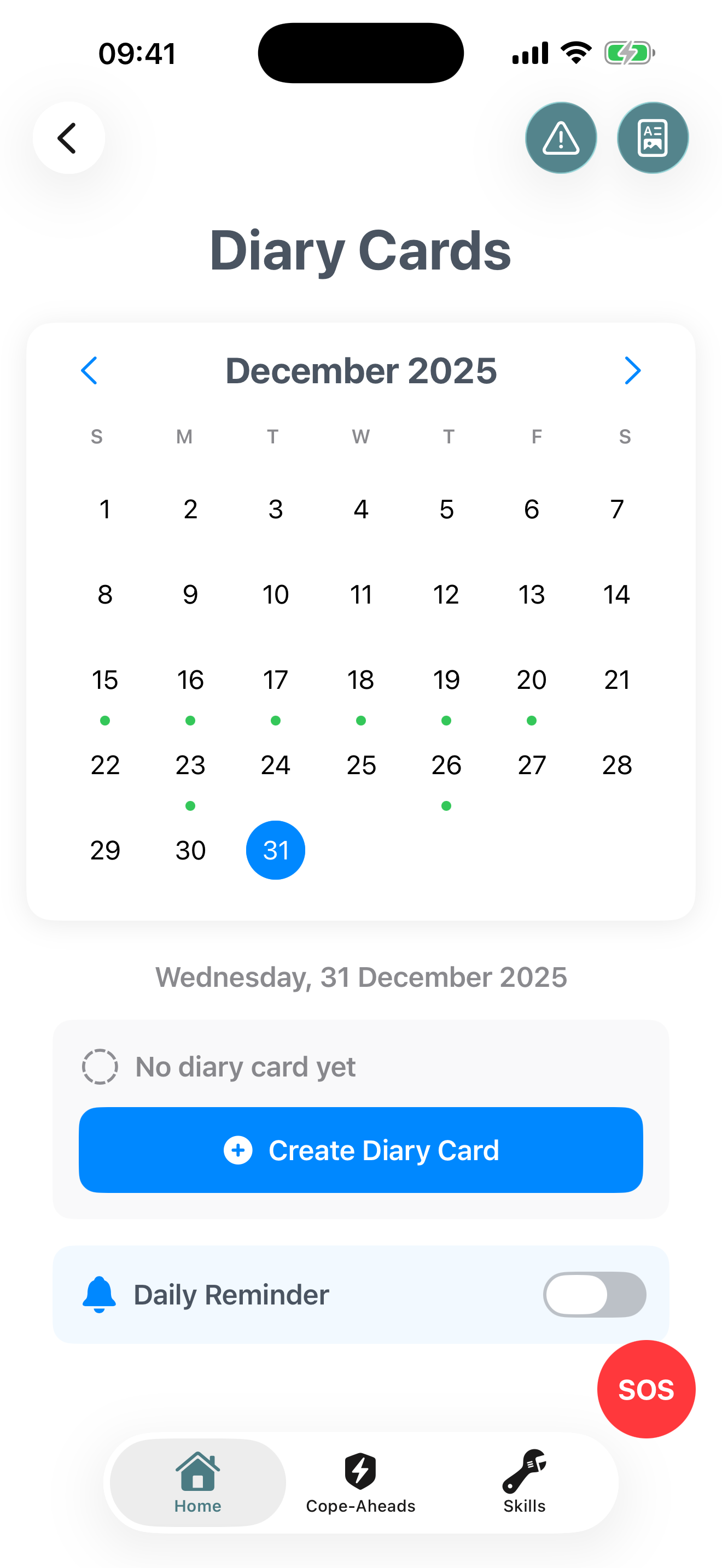
When you open Diary Cards, you'll see a monthly calendar showing:
- Completed days: Dates with a checkmark or colored indicator
- Empty days: Dates where you haven't completed a card yet
- Selected date: Highlighted with a border or background color
Tap any date to select it and view or create a card for that day.
Creating a Diary Card
To complete a diary card for the selected date:
- Tap "Create Diary Card" for the selected date
- You'll be guided through a multi-step wizard covering different sections
- Complete each section honestly and to the best of your recollection
- Save when finished to mark the day as complete
📱 Free vs Pro
Free: Create diary cards for today only
Bifocal Pro: Create and edit diary cards for past dates to catch up or correct entries
What You'll Track in a Diary Card
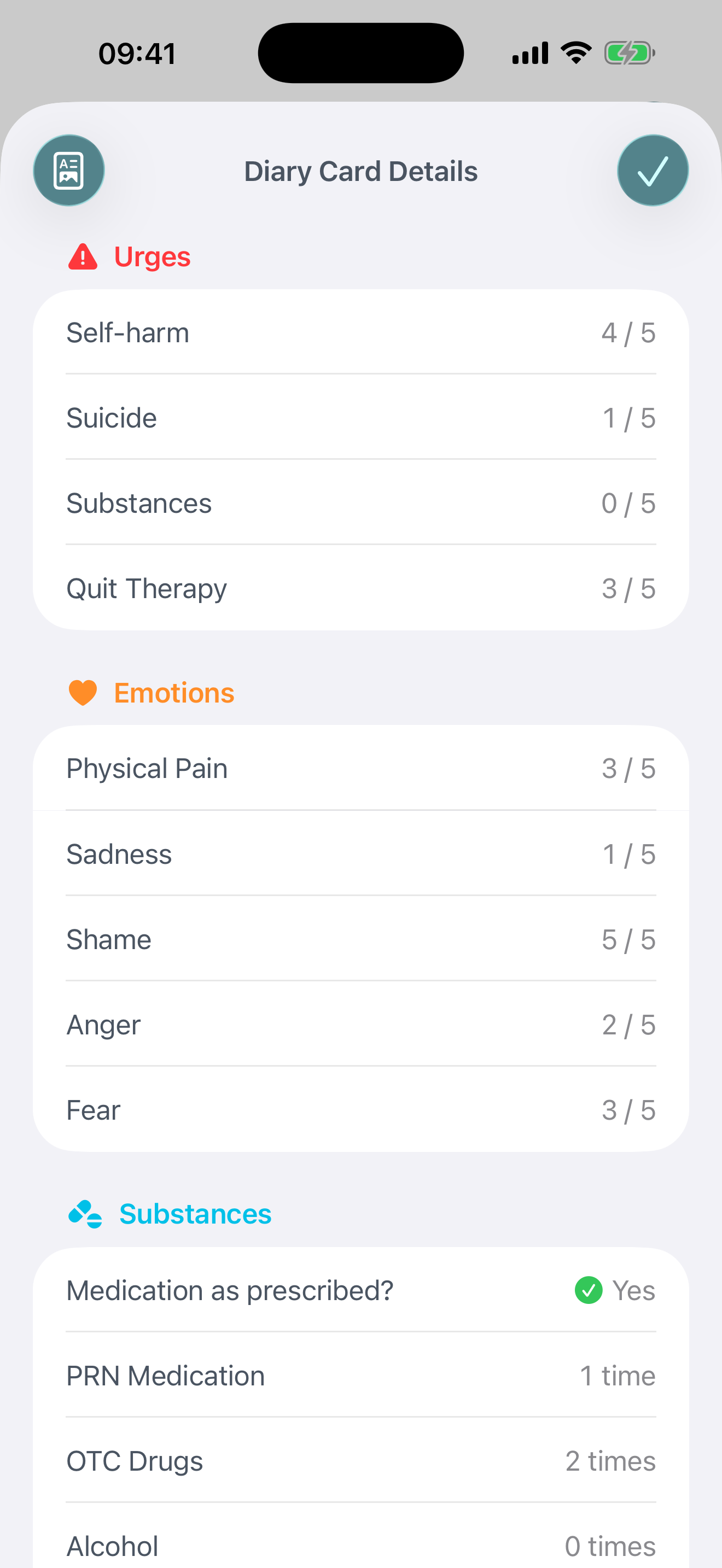
Each diary card walks you through several standard DBT tracking categories:
Emotions (0-10 scale)
Rate the intensity of these emotions today:
- Anger: Frustration, irritation, rage
- Fear: Anxiety, worry, panic
- Pain: Physical or emotional suffering
- Sadness: Depression, hopelessness, grief
- Shame: Guilt, embarrassment, unworthiness
- Joy: Happiness, contentment, peace
Urges (0-10 scale)
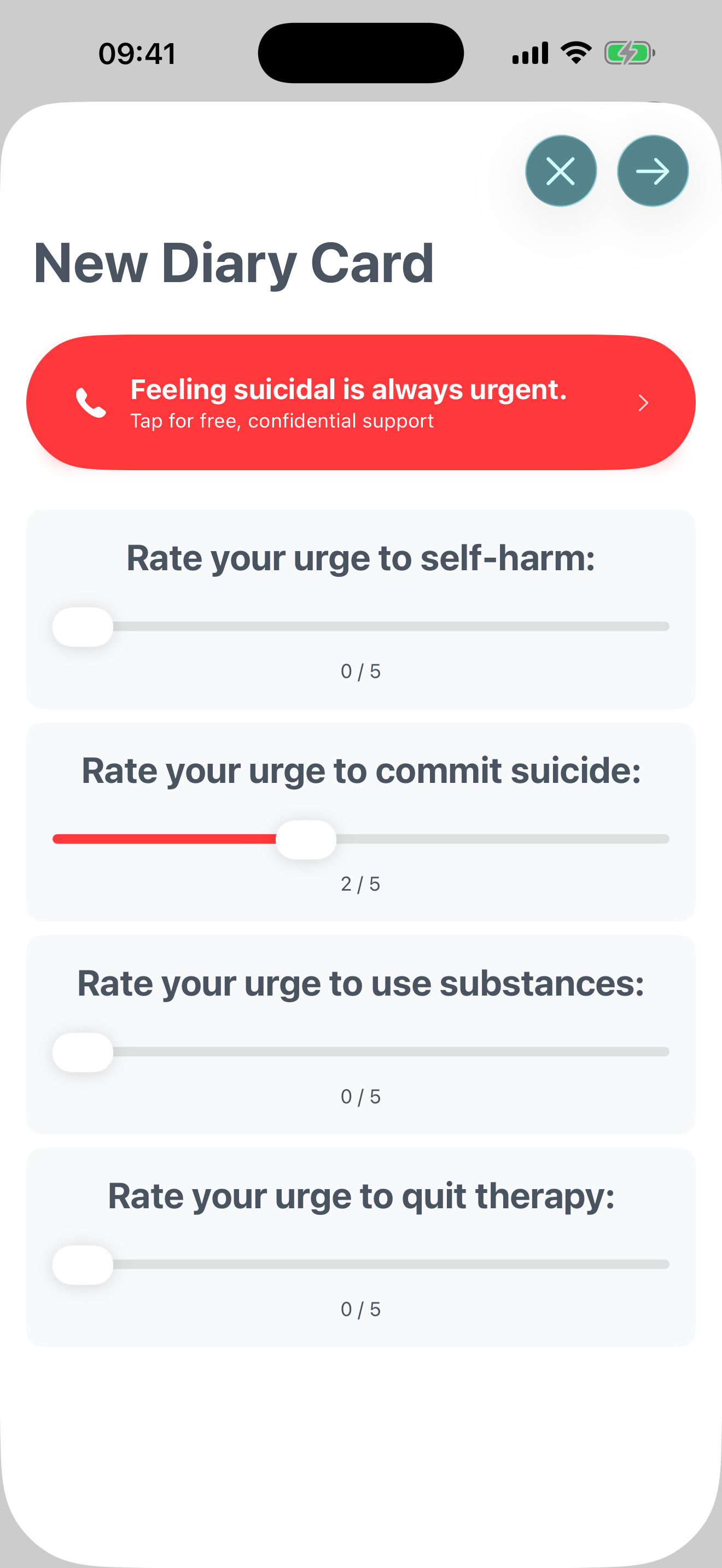
Rate the intensity of urges to engage in these behaviors:
- Self-Harm: Cutting, burning, or other self-injury
- Suicide: Thoughts or plans to end your life
- Drug/Alcohol Use: Urges to use substances
- Quit Therapy: Desire to stop treatment
Medications & Substances
- Prescription Meds as Prescribed: Yes/No checkbox
- Over-the-Counter Meds: Number of doses
- PRN (As-Needed) Meds: Number of doses
- Alcohol: Number of drinks
- Illicit Drugs: Number of uses
Overall Skills Effectiveness (0-10 scale)
Rate how effectively you used DBT skills today overall. This is a subjective measure of whether your skills helped you cope, regulate emotions, or navigate challenges.
Notes (Optional)
Add any additional context, observations, or reflections about your day. This is your space to note anything important that the structured categories don't capture.
Setting Daily Reminders
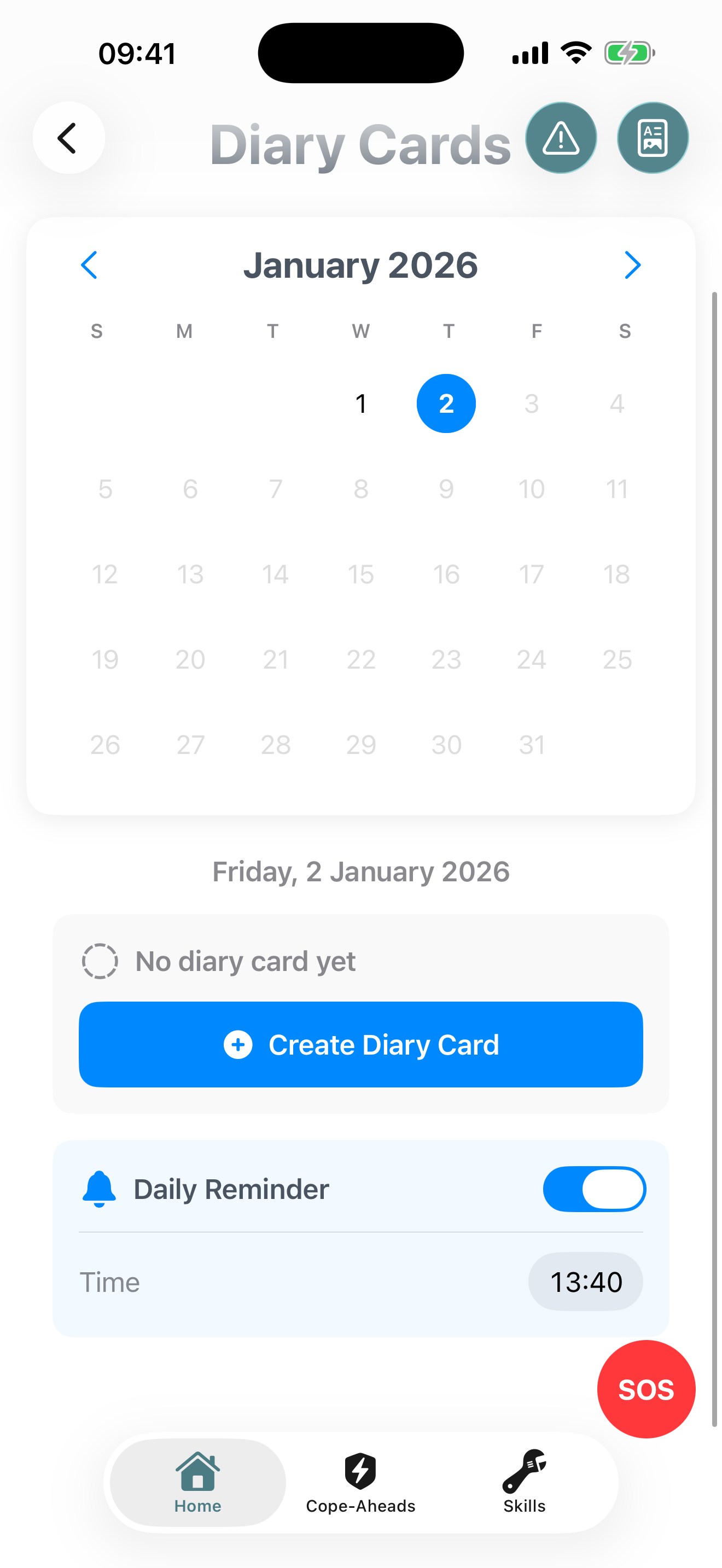
Consistency is key with diary cards. Set a daily reminder to help you remember:
- On the Diary Card screen, find the "Daily Reminder" toggle
- Turn it on and select your preferred time (many people choose bedtime)
- You'll receive a notification each day prompting you to complete your card
Viewing Past Diary Cards
To review a previously completed card:
- Navigate to the calendar view
- Tap any date with a completed card (marked with a checkmark)
- Tap "View the card" to see all the details you entered
- You can also delete cards from this screen if needed
Exporting Weekly Reports
Bifocal Pro Feature
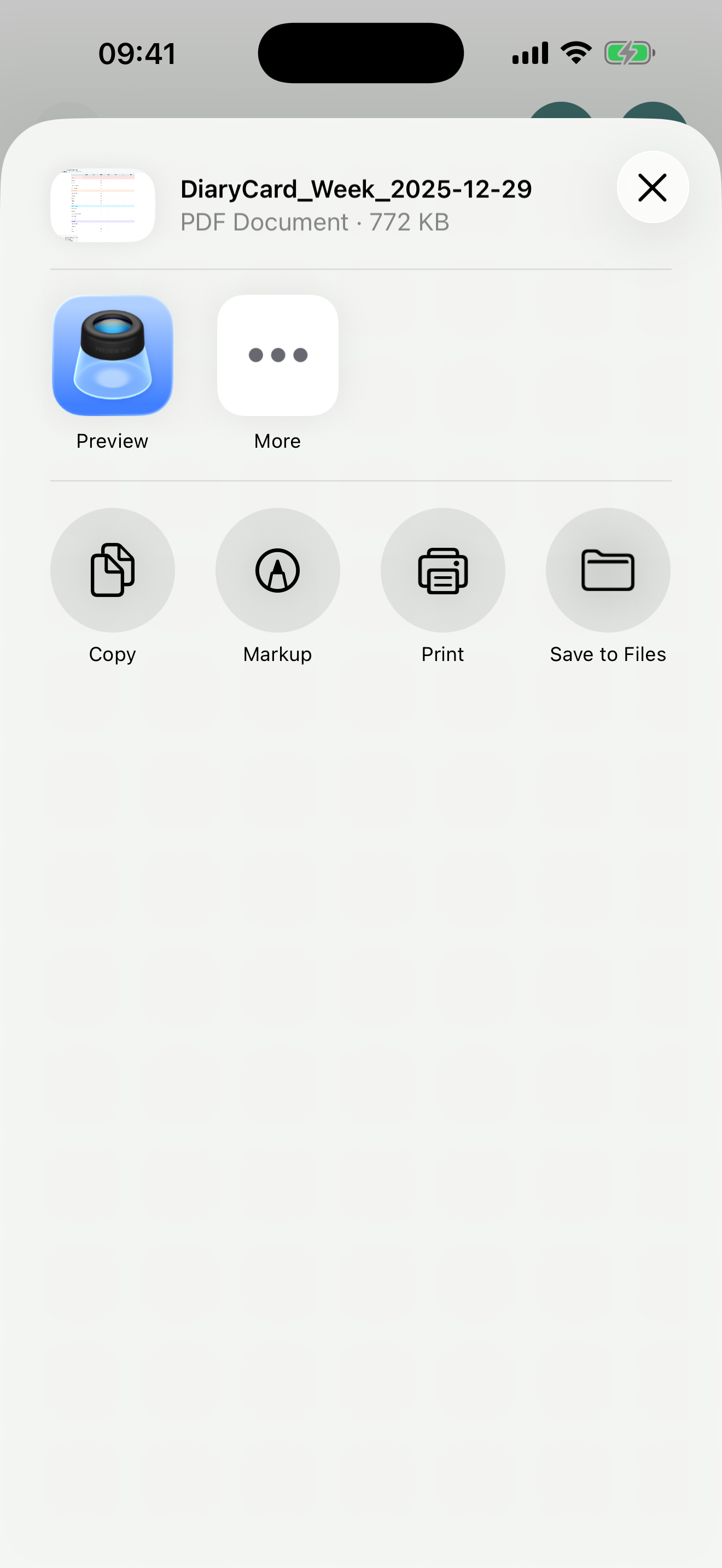
Pro users can export a week's worth of diary cards as a PDF:
- Tap the PDF export icon in the toolbar (top right)
- A PDF will be generated showing all your diary cards for the current week
- Share it directly with your therapist or save it for your records
Tips for Effective Diary Card Use
Complete at the Same Time Daily
Build a habit by filling out your card at the same time each day, ideally in the evening before bed when you can reflect on the full day.
Be Honest
Your diary card is for you. Accuracy matters more than "looking good." Track what actually happened, not what you wish happened.
Review Weekly with Your Therapist
Diary cards are most valuable when reviewed in therapy. Bring your data to sessions to identify patterns and set treatment goals.
Look for Patterns
After a few weeks, review your cards to spot trends. Do certain days have higher urges? Does joy increase when you practice skills?
Don't Overthink the Ratings
Use your gut feeling for the 0-10 scales. There's no "right" answer, just your honest assessment in the moment.
Your Privacy and Safety
🔒 Data Storage
All diary card data is stored locally on your device and in your encrypted iCloud (if enabled). Bifocal cannot access your diary cards.
🗑️ Deletion
You can delete individual diary cards or wipe all your data at any time from the Data Management settings.
🆘 Crisis Resources
If your diary card reveals concerning patterns or you're in crisis, please reach out for help immediately using the SOS feature or contact a mental health professional.