Practicing Mantras
Use voice recognition to practice positive affirmations and track your progress over time.
What are Mantras?
Mantras are positive affirmations or statements you repeat to yourself to reinforce helpful thoughts and beliefs.
Access the Mantras Feature
Mantras are a Bifocal Pro feature. If you haven't subscribed yet:
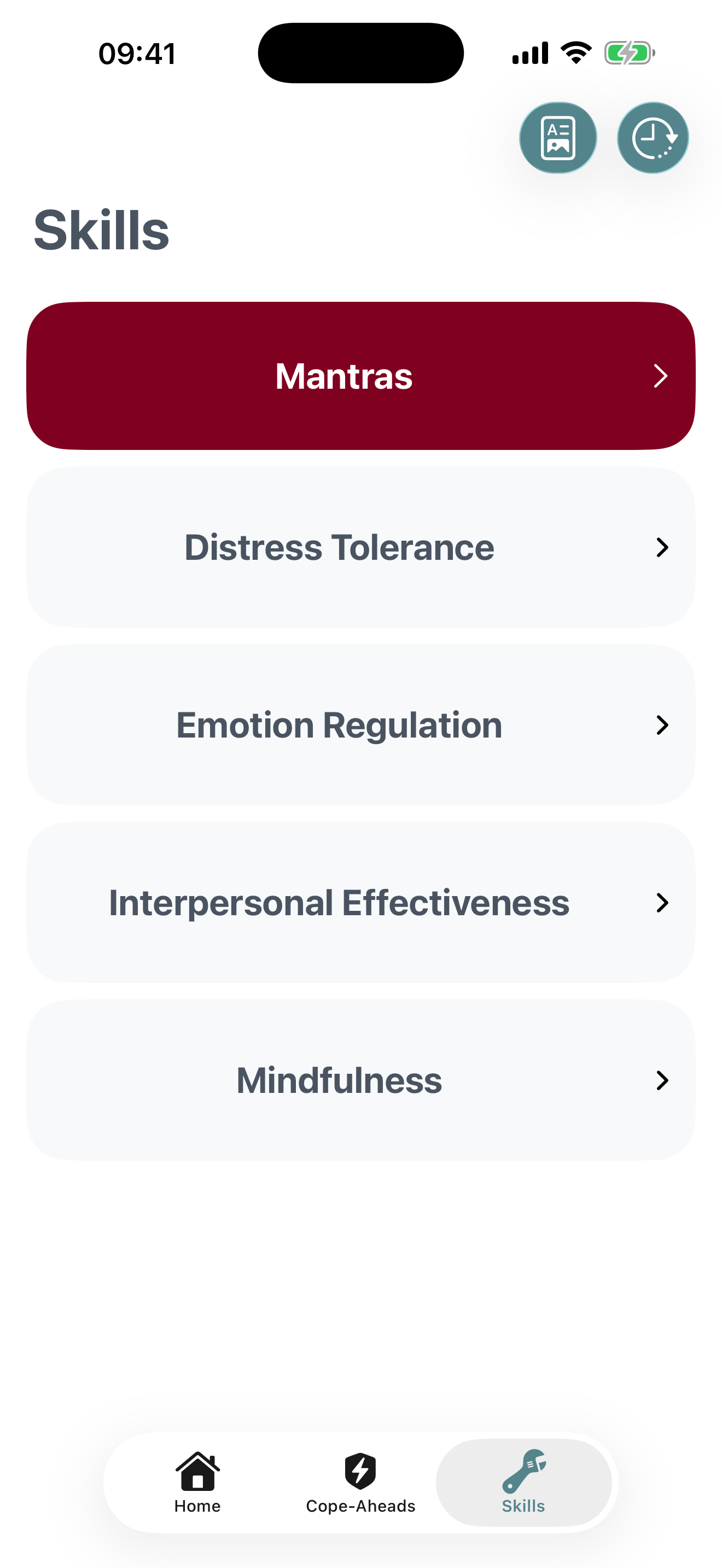
- Tap the Skills tab at the bottom
- Look for the red "Mantras" card at the top
- Tap it to see subscription options
If you're already a Pro subscriber, tapping the Mantras card will take you directly to your mantras library.
Create Your First Mantra
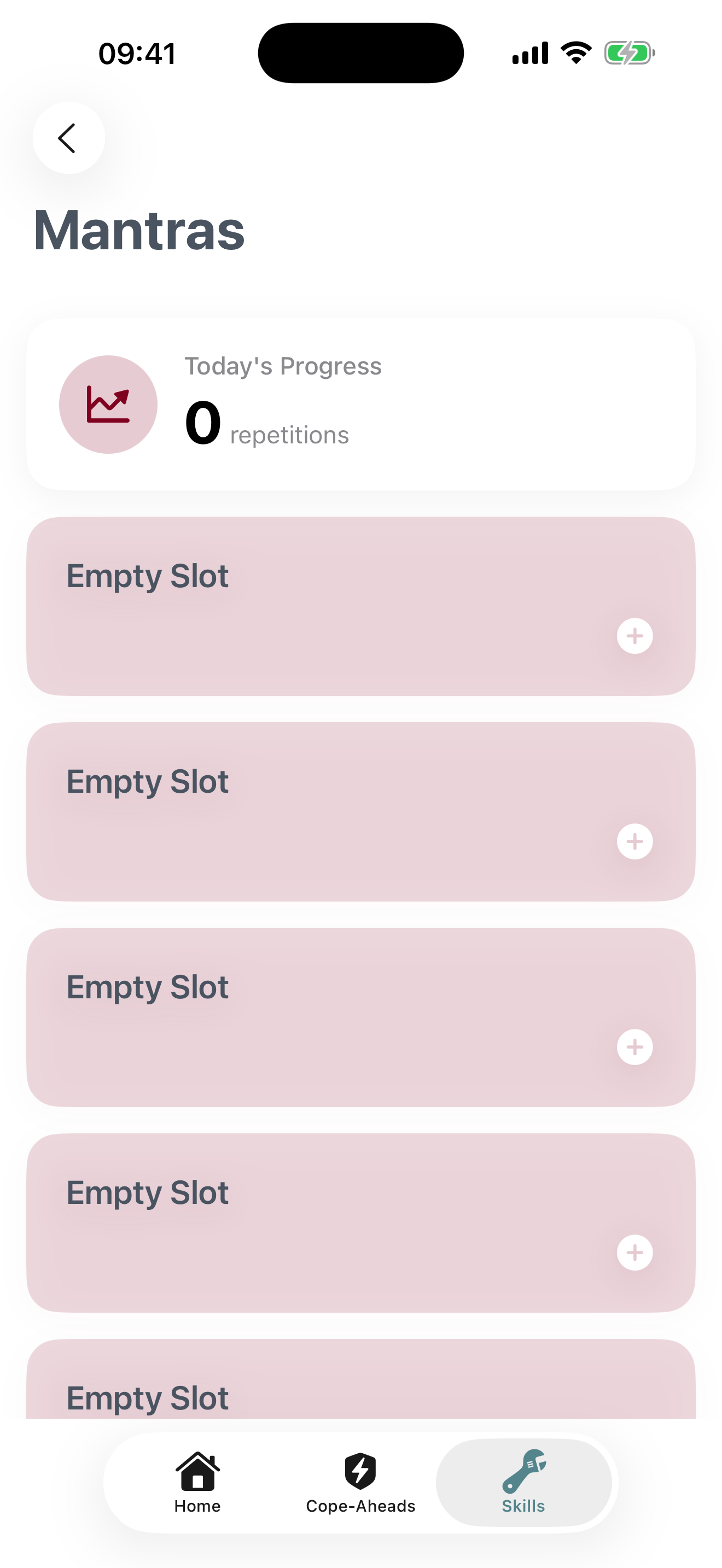
- On the Mantras home screen, tap any "Empty Slot" to import a new Mantra
- You can choose a pre-written mantra from the library, or create a custom one
- Type your mantra phrase (e.g., "I am capable of handling difficult emotions")
- If you're creating your own Mantra, tap the 'Create' button once you're satisfied with it.
Practice with Voice Recognition
Bifocal uses speech recognition to track when you speak your mantras aloud:
- On the Mantras home screen you can start a new session by clicking either "Shuffle Mode" or any pre-existing Mantras.
- Grant microphone permission when prompted (first time only)
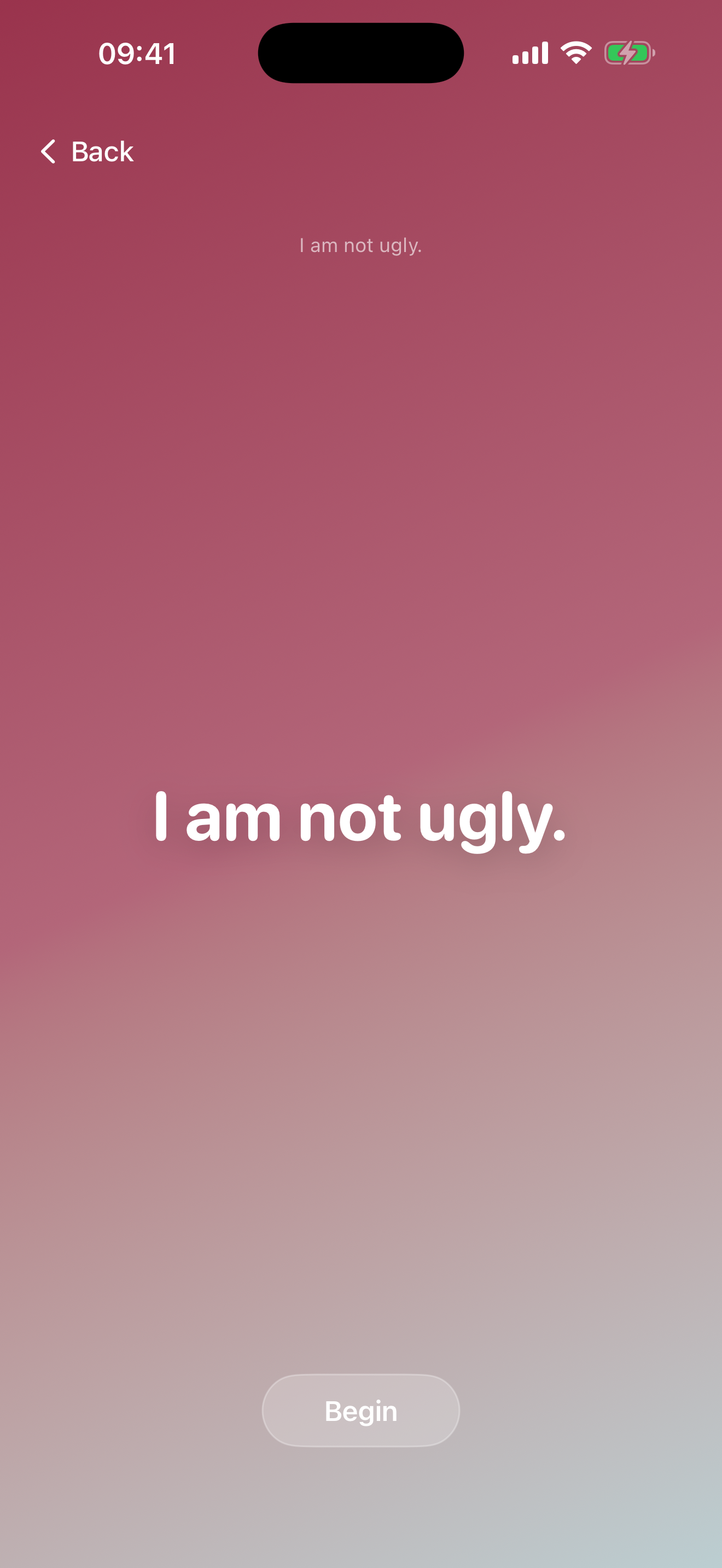
- The screen will show your mantra text in large, readable font
- Speak the mantra clearly and at a normal pace
- Watch as Bifocal recognizes your speech and increments the counter
- Continue until you reach your target, or stop anytime by tapping "End Session"
Understanding Speech Recognition
Bifocal uses Apple's on-device speech recognition to detect when you say your mantra:
- Privacy First: Speech processing happens on your device when possible
- Approximate Matching: Bifocal recognizes variations - you don't need to say it exactly word-for-word
- Background Noise: Works best in quiet environments; background noise may affect accuracy
- No Recording: Your voice is not recorded or stored - only the count is saved
Track Your Progress
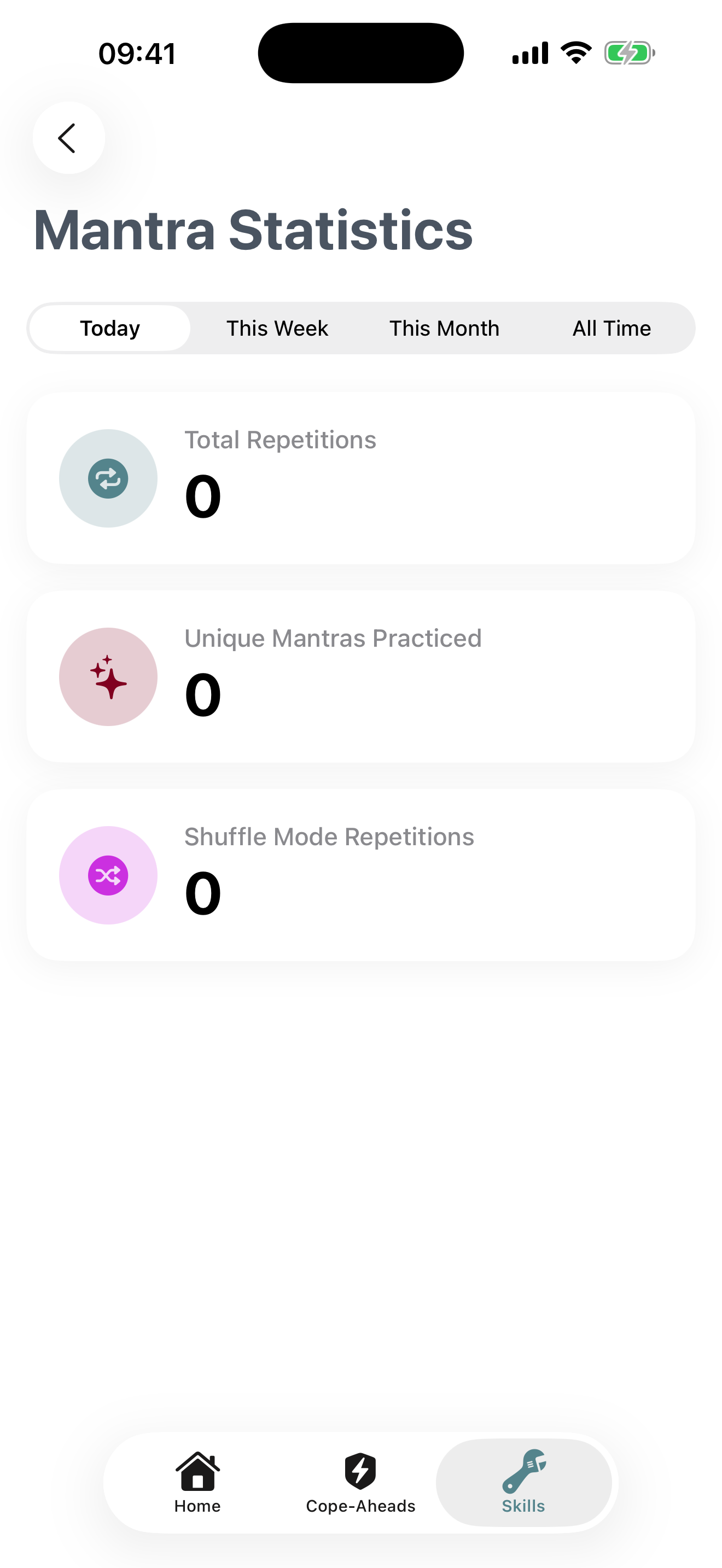
After practicing, view your mantra history:
- Total Repetitions: See how many times you've practiced each mantra
- Practice Streak: Track consecutive days you've practiced
- Session History: Review past practice sessions with dates and counts
This data helps you see patterns and stay motivated in your DBT practice.
Best Practices for Mantra Practice
Practice Daily
Set aside 2-3 minutes each morning to repeat your mantras. Consistency builds lasting change.
Speak with Intention
Don't rush. Say each mantra slowly and try to connect with its meaning emotionally.
Personalize Your Mantras
Use language that feels natural to you. First person ("I am...") often works best.
Start Small
Begin with 1-2 mantras and 5-10 repetitions. Gradually increase as it becomes habitual.
Example Mantras
Here are some DBT-aligned mantras you might find helpful:
"I can experience emotions without being controlled by them"
"This moment is difficult, and I can get through it"
"I am present in this moment, observing without judgment"
"I am doing my best with the skills I have right now"
"I can set boundaries while maintaining relationships"
Troubleshooting
Speech recognition isn't detecting my voice
Try these solutions:
- Check that microphone permission is enabled in iOS Settings → Bifocal
- Move to a quieter environment with less background noise
- Speak at a normal volume, not too quiet or too loud
- Hold your device 6-12 inches from your mouth
- Ensure your device's microphone isn't covered or blocked
Is my voice data recorded or shared?
No. Bifocal only listens for your mantra phrase to increment the counter. Your voice is not recorded, stored, or transmitted anywhere. Speech processing happens on-device whenever possible, with fallback to Apple's servers following Apple's privacy policy.
How do I delete a mantra?
Long-press any Mantra and choose the 'Delete' option that appears on the iOS context menu.